The following fields are used before an event to confirm how the LED screen should match the stage configuration. They also help reduce on-site repositioning and rework.
Confirm These 5 Items First.These items define the basic boundaries of the solution.
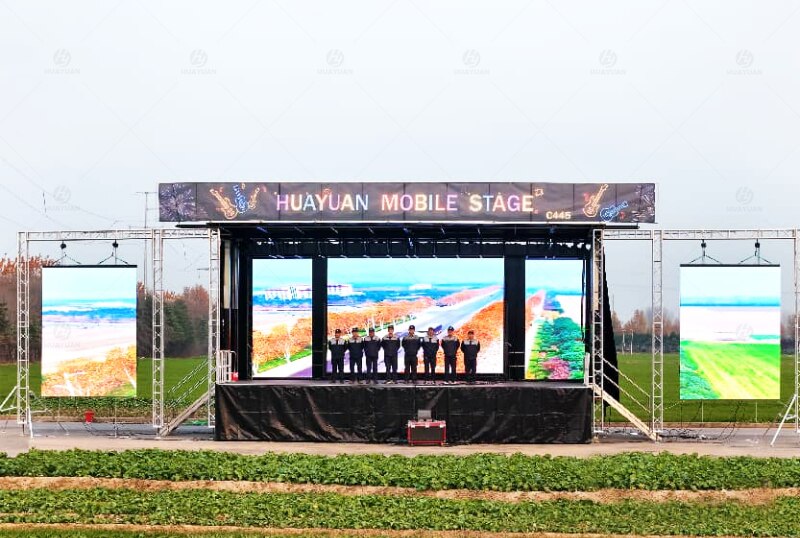
1. Purpose:Main display / live production feed / subtitle information / brand visuals
Different purposes change the priorities. A live production feed needs more attention to stability and backup. Subtitle content needs stronger clarity and readability.
2. Environment and Recording Conditions:Indoor / outdoor / mixed environment; whether the screen will appear on camera; whether rain or strong wind may occur
If on-camera use is not confirmed in advance, screen flicker or scan lines are more likely to appear on site. Rain and wind will also tighten the usable conditions for the screen.
3. LED Screen Source:Customer-provided LED screen / HUAYUAN-supplied LED screen
Different screen sources affect how technical information is checked and confirmed. If the information is incomplete, temporary adjustments are more likely to happen on site.
4. Installation Position:In front of the stage / on the stage / at the side of the stage
The screen position affects access routes, viewing angles, and clearance requirements. A screen on the stage is more likely to be limited by overhead space. A screen in front of the stage is more likely to conflict with crowd movement.
5. Signal Source Position:Inside the stage / audience-area control desk / other
The farther the signal source is from the screen, the higher the requirements for cable routing and signal stability. The control desk position also becomes more restricted.
The following fields correspond to the 5 decision points above. They are used to describe the requirements clearly, making later matching and checking easier.
1. Size and Structure(Used to define the screen scale)
Target full-screen size(W × H): ____(A size range is acceptable)
Viewing distance:Nearest: ____ / Farthest: ____(A range is acceptable)
For customer-provided LED screens:LED cabinet data sheet (if availabl)
This section is used to confirm whether the screen scale matches the available site space. If the size and overall form do not match the site, common problems include blocked access routes, failure to place the screen as planned, or temporary changes to position and screen scale.
2. Position and Support(Used to define how the screen will be installed)
Installation position:In front of the stage / on the stage / at the side of the stage
Support method:Fixed to the stage structure / independent ground support / to be confirmed
This section is used to confirm the installation boundary. If only the position is written without the support method, common problems include blocked access after installation or the need to move the screen again.
3. Signal and Control(Used to define where the signal comes from and how it is controlled)
Signal source position: Inside the stage / audience-area control desk / other: ____
Input method(if confirmed):HDMI / SDI / fiber / not sure
Does it need to work with an existing live production or control system?Yes / No / Not sure
Is a backup solution required? Required / Not required / Not sure
This section is used to confirm the signal chain boundary. If the signal arrangement is unclear, the site is more likely to face temporary adapters, insufficient cables, or detoured cable paths. The result is often unstable image output or a forced change to the control desk position.
4. Power Supply Boundary(Used to define the power conditions)
Power source:Generator / external power / both acceptable / not sure
Power supply position:Near the stage / near the distribution box / not sure
Is there a screen data sheet with power information?Yes / No (If yes, attach it)
This section is used to confirm the boundary of power organization. If the power position is unclear, cables are more likely to cross access routes. Site protection and startup sequence also become harder to organize.
5. Transport and Relocation(Used to define who transports the screen and how it is transported)
Will the screen be transported with the vehicle? Yes / No / Not sure
Relocation frequency:Occasional / frequent
Packaging and transport method:Customer-provided packaging / to be confirmed for the project
This section is used to confirm the preparation method for relocation. If the screen is moved frequently but packaging and inventory rules are unclear, the site is more likely to face missing parts and longer assembly time.
Common Missing Information(Used for search and self-check)
How to write LED screen requirements:
Only the size is provided, but the screen source is not stated.
How to choose the LED screen installation position:
Only the position is provided, but the support method is not stated.
How to connect the LED screen signal:
Only HDMI / SDI is mentioned, but the signal source position is not stated.
How to prepare an outdoor LED screen:
Only “outdoor” is written, but on-camera use, rain, and wind conditions are not stated.
How to choose an LED screen for touring events:
Only “frequent relocation” is written, but packaging and transport methods are not explained.
Pre: No Information
Next: No Information